I jumped into iOS app development a few months ago thinking I could turn my idea around in 6 months and have it published to the App store. Not so much, I spent the first month just learning the ins and outs of Swift & Xcode. Mastery complete, I started building out the interface and immediately realized I needed a comprehensive authentication solution. How hard could this be?
My first thought was something like “forget backend servers, I’ll just store everything in UserDefaults”, Apple’s local user storage (the user’s default database on the device). This is as ridiculous as it sounds if you understand iOS development.
Lack of encryption aside, this didn’t jive well with the architecture my app requires. I wasted a solid 10-15 hours writing parts of this only to finally succumb to the realization that this was just not a good idea. I either needed to devote a significant amount of time/effort to this or find a better solution. Imagine my frustration, I have this awesome (subjective?) app idea and I’m literally sitting here, writing code for a homegrown IAM (identity & access management) solution, which is not actually what my app is about…
I started looking around and found a few different options. For the purposes of this post, let’s just say that I became familiar with both the Amazon Web Services (AWS) solution, ‘Cognito’ and Google’s mobile app suite, ‘Firebase‘. I was relieved to find these solutions as they offer a lot, databases, storage, authentication, analytics, etc…. Having used both of them, I have a preference for Google’s Firebase and the rest of this post is dedicated to that wonderful product. Trust me, it can save you significant time if you are just getting into iOS/Android app development.
A few things I was thinking about early on surrounding authentication/security, in no particular order:
- New user registration
- Login/Authentication
- Password Reset
- Ability to capture the user’s current authentication state
- Scalability
- Hands-off (i.e. I want to be responsible for zero backend servers/services)
- Secure/Reliable
- OAuth 2.0 for Facebook/Google integration.
In the back of my mind, I knew somehow this would need to include a real-time database and file storage but I wasn’t sure how this would tie together yet. If you haven’t figured this out, I am following the Code and Fix development methodology, Cowboy coding if you will.
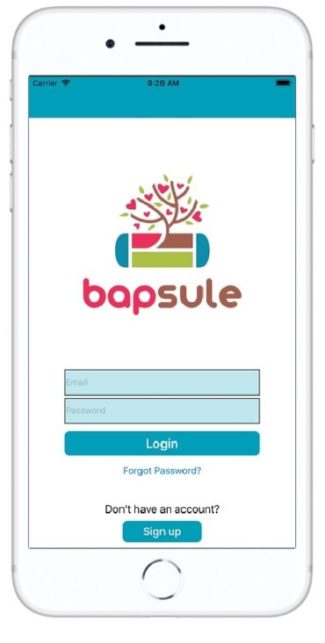
Enter Google’s Firebase, literally a drop in SDK for authentication and so much more. You can see my login page to the right, as for the code behind the scenes, let’s take a look at the ViewController.
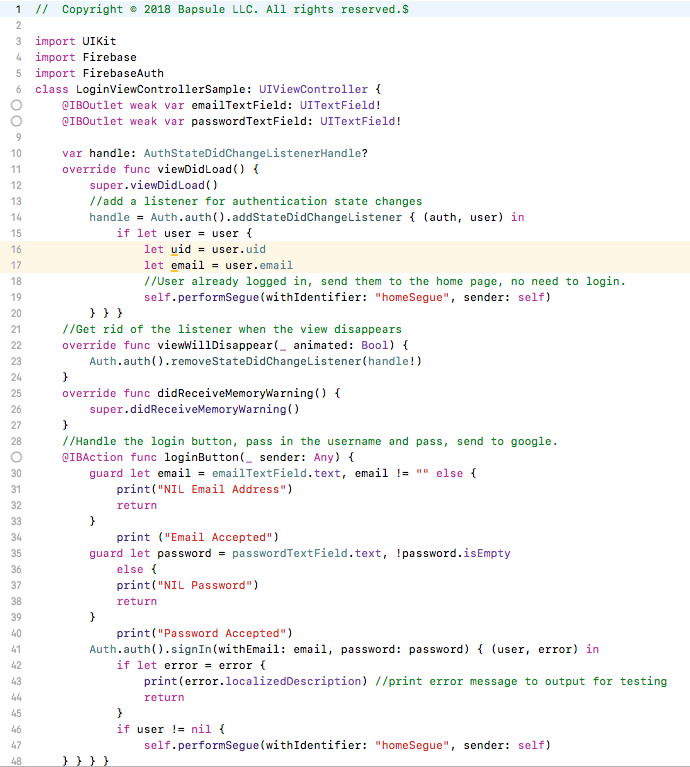
That is a basic login page using Firebase, in its entirety. There is another page for registration and password resets but they similarly use existing SDK functions and require little more than passing in a few variables.
I’m not diving into everything here, I added some simple textfield validation, check out Firebase for a complete walk-through but I want to point the simplicity of this solution. Once you go the initial setup/integration of Firebase (via CocoaPods) you just collect the username and password on your login page and pass them through to Firebase:

In this scenario I segue the user to my homepage if the login was successful, this just demonstrates the incredible simplicity of the solution and how to integrate into your next mobile app. Google also offers drop-in OAuth 2.0 solutions for Facebook, Google, or Twitter if you want to integrate those login methods as well.
Bonus, you can leverage the Auth state listener to capture and subsequently act on events like:
- When a user is signed in
- When the current user is signed out
- When the current user changes
As simple as:

Firebase solidly handles everything I was looking for in terms of user management, scalability, hands-off, and reliable solution. Equally as important, now that I have integrated Firebase into the app, I have unlocked the rest if the Firebase gems, something for another post later.
The dashboard/backend for Firebase is very intuitive and easy to integrate with Google’s other Cloud solutions, in my case, I was looking for a low-cost cold storage option for user-uploaded files and I found it here. Don’t reinvent the wheel, focus on your app/idea and let someone else handle these core functions. Hope this helps.